Healthcare business continuity case study
Hurricane Ida closed the roads, not the clinic’s systems.
When Hurricane Ida hit Louisiana in 2021, staff at a two-location medical clinic couldn’t get to work. The main site ran on generator for at least three days, and its IT systems never went down. Wahaya IT had designed the battery backup and internet setup before the storm. No data was lost at either site.
Louisiana medical clinic, two locations
See the results
- Before the stormBattery backup, two internet lines, daily-tested backups and managed laptops
- During IdaAt least three days on generator, with staff working from home
- ResultZero hours of IT downtime at the main site, and zero data lost


The situation
The building was fine. Nobody could get to it.
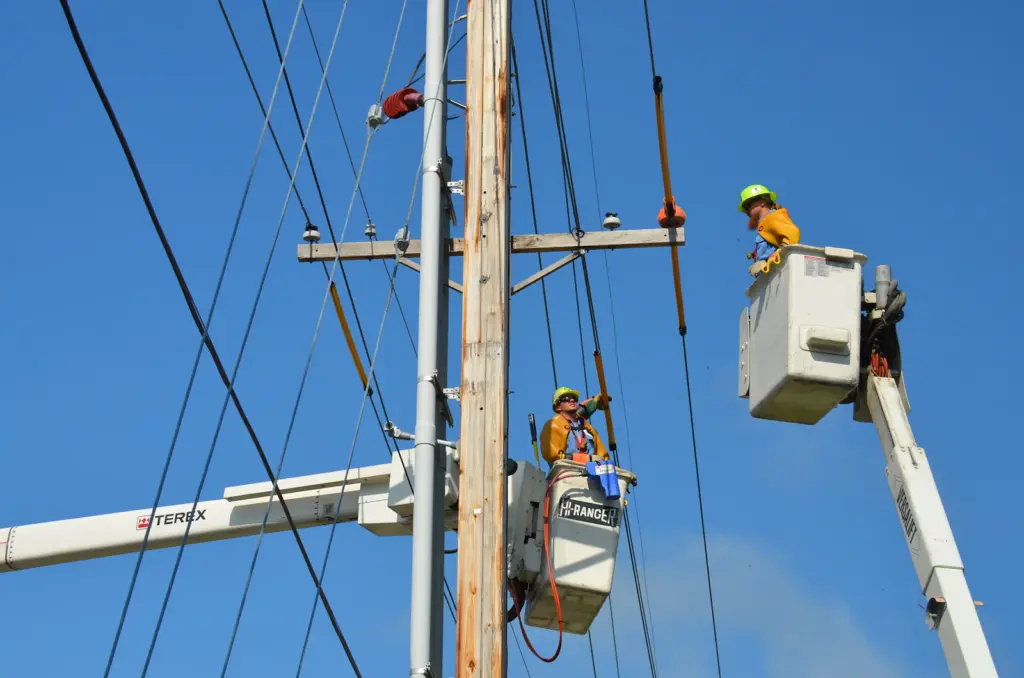
Ida made landfall near Port Fourchon on August 29, 2021, as a Category 4 hurricane with 150 mph winds. Entergy estimated about 950,000 of its customers lost power at the peak, and nine days later almost 440,000 in Louisiana were still without it. The clinic already had five layers in place.
Battery backup
What it is: Battery backup on every system at both sites, designed by us.
What it did during Ida: Carried the main site through the gap until the generator started, so nothing shut down.
Generator
What it is: The clinic’s own generator at the main site.
What it did during Ida: Started as planned and powered the site for at least three days, so no medication was lost.
Backup internet
What it is: Two internet connections at the main site, and a 4G LTE backup line at the second site.
What it did during Ida: Kept the servers reachable, so staff could connect from home.
Cloud services
What it is: Phones and Microsoft 365 in the cloud, and a web-based medical records system.
What it did during Ida: Kept phones, email and records available for both locations, whatever happened at the buildings.
Off-site backups
What it is: Backups stored away from the clinic and test-restored every day.
What it did during Ida: Kept a recent, verified copy of the data out of the storm’s path.

We designed the battery backup and internet setup and had it in place before the storm. The generator is the clinic’s.


Healthcare business continuity, before and during the storm.
Prepare before landfall, then watch and keep people connected.
Ran our hurricane checklist
Before landfall, everything was already on battery backup and the off-site backups had been test-restored, as they are every day.
Watched power and internet
Our monitoring showed utility power drop at the site, the power company’s outage map confirmed it, and we saw the internet fail over to the second line.
Kept staff connected
Staff with power at home worked through secure remote access on clinic-owned, encrypted laptops we manage, with single sign-on.
Brought the second site back
The second site had no generator. When power returned, everything there came back up on its own, with nothing to repair.


The results
Zero hours of IT downtime at the main site, and zero data lost.
-
Zero hours of IT downtime at the main site
The servers stayed up the whole time, through the switch to generator and the internet failover.
-
Zero data lost
Nothing was lost at either location.
-
At least three days on generator
Battery backup carried the gap until the generator started, and the generator kept the medication refrigerated.
-
Phones, email and records stayed available
They were in the cloud, so they kept working for both locations. At the second site, only the desktop tied to the card machine went down.
-
Patients rescheduled, charts caught up
Staff called patients before the storm to reschedule, kept calling until every visit was rebooked, and caught up on charts from home.
How to plan IT for hurricane season


Ida made landfall on August 29, 2021, as a Category 4 hurricane.
At least three days.
Louisiana medical clinic
Two locations.

Current client
With us before Ida, and still with us today.

Business continuity
Battery backup, backup internet, daily-tested backups and managed laptops.
See how to keep backups safe and test that they restore.
What to take from it
Plan for the office you can’t reach.
Most hurricane plans picture a flooded office. The more common problem is a building that’s fine but has no power, and staff and patients who can’t get there. A generator takes time to start, so battery backup keeps servers and network gear running through the switch. A second internet line keeps the site reachable. Decide which site has to stay up: only the main site here had a generator, and when the second site lost power, only one desktop went down. And test your restores. A backup you haven’t restored is a guess.
Working from home
Remote work has to be secure.
Staff charted from home on clinic-owned, encrypted laptops we manage, with single sign-on and secure remote access, not on personal computers. For a medical practice, that’s the difference between a continuity plan and a HIPAA problem. The HIPAA Security Rule’s contingency plan standard (45 CFR 164.308(a)(7)) calls for a data backup plan, a disaster recovery plan and an emergency mode operation plan.
Why preparation is the result
The storm didn’t take the systems down. The roads kept people home.
Most of the downtime a business feels after a hurricane isn’t broken equipment. It’s the power out at the office, the internet down, and staff and patients who can’t travel. The clinic couldn’t fix the roads. Because its systems kept running and staff could reach them from home, the days the building was out of reach became days for rescheduling patients and catching up on charts, not days spent rebuilding.

Battery backup and a 4G LTE line, but no generator.
One desktop down, then back on its own.
If this sounds like you
Would your office keep running if nobody could get to it?
We check your power and internet
We look at battery backup, backup internet and what each site needs to stay up.

We check your backups and remote work
We test a restore and check that staff can work securely from home, and you decide what to change.
Questions about keeping a practice running through a storm
How do medical clinics keep IT running during a hurricane?
Battery backup keeps equipment running until a generator takes over. A second internet line keeps the site reachable, and cloud phones and email don’t depend on the building at all. Off-site, tested backups protect the data, and managed laptops let staff work securely from home. One Louisiana clinic’s main site had all of these in place before Hurricane Ida and had zero hours of IT system downtime.
UPS vs generator: why do you need both?
A generator takes time to start and take the load. Without battery backup, servers and network equipment lose power in that gap and shut down hard. With it, they keep running through the switch. See our post on UPS battery backup.
Can clinic staff work from home and stay HIPAA compliant?
Yes, if they use clinic-owned devices that are encrypted and managed, sign in securely, and reach clinic systems through secure remote access. Personal computers are the risk. During Hurricane Ida, one clinic’s staff charted from home on managed, encrypted laptops with single sign-on.
What are the HIPAA disaster recovery requirements?
The Security Rule’s contingency plan standard, 45 CFR 164.308(a)(7), requires a data backup plan, a disaster recovery plan and an emergency mode operation plan. It also covers testing and revising the plans, and assessing which applications and data are most critical.
Tech Tips
Business continuity guides.




Tell us what happens when the power goes out.
-
15 minutes
Tell us how your office would run if nobody could get to it for three days.
-
We’ll tell you which part of your setup would fail first.
-
If we’re not the right fit, we’ll say so.



