Case study: property management security cameras
Five properties, one camera system. 90 days of footage.
A South Louisiana apartment management company ran five properties on five camera recorders of different ages and makes. Wahaya IT reused its more than 40 existing cameras, joined every property into one secure system and extended footage retention from 14 days to 90. The longer retention has already caught someone damaging equipment.
South Louisiana, about 10 staff, more than 40 cameras
See the results
- BeforeFive recorders from different makers, and 14 days of footage
- What we didOne system, a separate camera network and single sign-on, in about a week
- After90 days of footage, and an alert when a camera goes down


The situation
Five properties, five camera systems.
Each property’s recorder was bought at a different time from a different maker.
Recorders
Before: Five recorders from different makers, one at each property.
After: One system for all five properties.
Footage
Before: About 14 days, then it was recorded over.
After: 90 days at every property.
Finding video
Before: Open the right property’s system and remember how that one works.
After: Every property in one place, signed in with the account staff already use.
Camera health
Before: Nobody knew a camera had stopped until someone visited the property.
After: Property managers get an alert when a camera goes down.
Security
Before: Each system set up on its own, with its own passwords.
After: Cameras on their own network, joined by VPN, with new unique passwords.

The cameras stayed. Almost everything around them changed.


One multi-site video surveillance system, built in about a week.
Property by property, without losing any footage.
Test and keep the cameras
We reconfigured the more than 40 existing cameras to work with one system and replaced only the ones that had failed.
New storage, old footage kept
We installed storage sized for 90 days and kept the old recorders available until their footage aged out, so nothing was lost.
Their own network
Cameras moved to a separate network at each property, the properties were joined by VPN, and every camera got a new, unique password.
One system, with alerts
Property managers see every property in one place with single sign-on, and get an alert when a camera goes down.


The results
One system, camera alerts and 90 days of footage.
-
One system for every property
Property managers pull footage from all five properties in one place instead of switching between five systems.
-
Cameras on their own network
Cameras sit on a separate network at each property, apart from office traffic, and the properties are joined by VPN.
-
New passwords and single sign-on
Every camera and recorder got a new, unique password, and remote viewing uses the work account staff already sign in with.
-
An alert when a camera goes down
Property managers learn a camera stopped recording from an alert, not from a site visit.
-
90 days of footage, up from 14
New storage at every property keeps footage long enough for a late report to still be useful.
Our video surveillance services


About one week for five properties and more than 40 cameras.
Only the ones that had failed.

Apartment management
About 10 staff running five properties.
South Louisiana
Five properties, more than 40 cameras from several makers.
Video surveillance and network security
Design, migration, a separate camera network and camera-down alerts.
See how to secure cameras and other connected devices at your own sites.
What to take from it
Check what you can keep before you replace.
Many cameras work fine with a newer system. The recorder and its storage are usually what age out. Set retention by how you work, too: 14 days is a common default, and problems often get reported later than that.
Cameras are computers
Treat cameras like any other device on your network.
Put them on their own network, give each one a unique password, keep the firmware current and use single sign-on for remote viewing. And know when one dies: a camera that stopped recording months ago is worse than none, because everyone assumes it works.
Why 90 days mattered
Reported three weeks late, and the footage was still there.
About a month after the project, someone damaged equipment in a laundry room. Nobody reported it to the office for three weeks. Under the old 14-day setting, that footage would already have been recorded over. With 90 days, the footage was still in the new system. The company had no rule to meet. It chose 90 days so footage wouldn’t disappear before anyone had time to look.

If this sounds like you
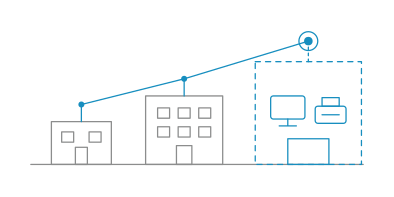
More than one site, more than one camera system?
We look at what you have
We check each camera and recorder and tell you what can stay.

You see what one system takes
We show you what it would take to bring every site into one system, and you decide.
Questions about property management security cameras
Can we keep our existing cameras when we change systems?
Often, yes. In one five-property project we reused more than 40 cameras from several manufacturers and replaced only the ones that had failed. It depends on each camera’s age and the standards it supports, so we check them first.
How long do security cameras keep footage?
Many systems keep about 14 days by default, then record over it. Keep footage long enough for someone to notice a problem and go look. At one apartment management company, damage that wasn’t reported for three weeks would have been lost under the old setting, so it chose 90 days. Some industries, insurers or leases set their own minimum, so check yours.
Can one apartment security camera system cover multiple locations?
Yes. The work is in joining the sites safely: cameras on their own network at each property, a VPN between the properties and one sign-in for the people who view footage. One apartment management company had a separate recorder at each of five properties. Wahaya IT brought all five into one system, and its property managers now see every property in one place with the account they already use.
Are security cameras a cybersecurity risk?
They can be. Cameras are small computers on your network, often with default passwords and old firmware. Putting them on their own network, giving each a unique password and using single sign-on for remote viewing keeps them from becoming a way in.
What happens to old footage when you replace the recorders?
We keep the old recorders available until their footage ages out, so nothing is lost while the new system takes over.
Tech Tips
Camera and network security guides.


Tell us about your camera systems.
-
15 minutes
Tell us how many sites and systems you have, and how long you keep footage.
-
We’ll tell you what can stay and what we’d change first.
-
If we’re not the right fit, we’ll say so.
 15 minutes



