
Dec 18, 2023 | Solutions
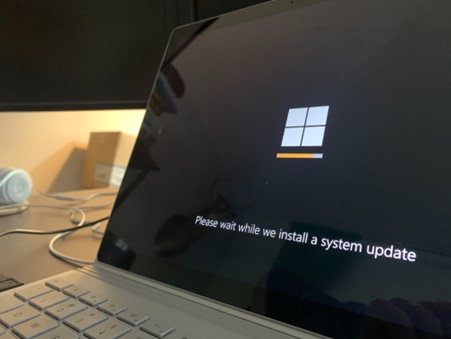
In a world where technology constantly evolves, Microsoft stands at the forefront. It continues to pioneer innovations. Innovations that transform how we interact with our digital universe. The fall Windows 11 update is a testament to Microsoft’s commitment to...Cybersecurity is a critical aspect of maintaining your Windows operating system, especially with the frequent updates released by Microsoft. Each update not only enhances features but also addresses potential security vulnerabilities that could be exploited by cybercriminals. Therefore, understanding the significance of these updates is essential for protecting sensitive data and ensuring a secure computing environment.
For instance, the latest Windows updates often include patches for newly discovered vulnerabilities that could allow unauthorized access to systems. By regularly installing these updates, users can fortify their defenses against malware and cyber attacks. Additionally, educating users about the risks of neglecting updates can foster a culture of security awareness, leading to better overall protection for both personal and professional data.
Troubleshooting Windows update issues can be daunting for many users, but understanding common problems can simplify the process. Issues such as installation failures, error codes, and system slowdowns can often be resolved with straightforward steps. Knowing how to access the Windows Update Troubleshooter is a vital first step that can help diagnose and fix problems quickly.
For example, users may encounter error codes like 0x8007000d or 0x80073712, which indicate specific issues that can often be remedied by running the troubleshooter or performing a system file check. Additionally, keeping a backup of important data before initiating updates can safeguard against potential complications, ensuring that users can recover their information if something goes wrong during the update process.
Effectively managing Windows updates is essential for optimizing system performance and security. Users should consider setting their devices to automatically download and install updates, ensuring they always benefit from the latest features and security enhancements. This proactive approach minimizes the risk of running outdated software, which can be a target for cyber threats.
Moreover, regularly reviewing update history and understanding the changes made with each update can provide users with insights into how these modifications impact their system. For instance, users may want to explore the release notes provided by Microsoft to familiarize themselves with new features or improvements that could enhance their productivity or user experience.
As technology continues to evolve, so too will the nature of Windows updates. Future trends may include more frequent updates that focus on enhancing user experience through artificial intelligence and machine learning integrations. These advancements could lead to smarter update processes that adapt to user behavior and preferences, streamlining the overall experience.
Additionally, there is a growing emphasis on cloud-based solutions, which may influence how updates are delivered and installed. For instance, users could benefit from updates that are automatically tailored to their specific configurations and usage patterns, reducing the need for manual interventions and ensuring that systems remain up-to-date with minimal effort.