Wahaya IT
  • (225) 273-1206
  • About Us
  • Contact
  • Solutions
    • Artificial Intelligence
    • Business Continuity
    • Cloud Migration
    • Compliance
    • Cybersecurity
    • Digital Marketing
    • Lifecycle Management
    • Managed Print Services
    • Managed Services
    • Microsoft 365
    • Video Surveillance
    • Unified Communications
  • Tech Tips
  • Client Portal
Select Page
Get More Unplugged Laptop Time with These Battery-Saving Hacks

Get More Unplugged Laptop Time with These Battery-Saving Hacks

Oct 10, 2022 | Business Continuity

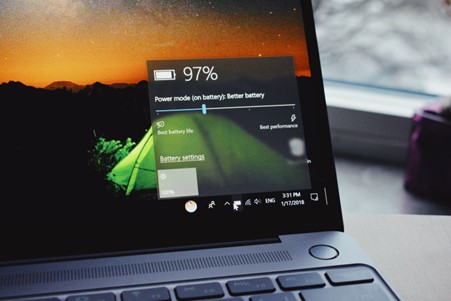
One of the big draws of a laptop computer is that you can use it anywhere. You don’t need to have it plugged in all the time because it has an internal battery. Your laptop may start with several hours of battery life when you first buy it. But the lifespan can...
Poor Battery Life- A Thing of the Past?

Poor Battery Life- A Thing of the Past?

Mar 4, 2022 | Lifecycle Management, Solutions

Big Tech is always looking for ways to make our working lives better. And over the past couple of years, that’s been a real challenge. But amongst all the productivity-boosting and communication-improving tools, we’ve still struggled with one thing:...

Latest Battery-Saving and Performance Tips

  • Your Team Is Using AI Tools—But Is Your Business Protected?May 22, 2026
  • How Wahaya IT Uses AI to Deliver Faster, Smarter IT SupportApril 24, 2026
  • Essential Cybersecurity Solutions for Baton Rouge BusinessesApril 15, 2026
  • Modern office collaboration with unified communications tools
    Unified Communications Solutions for Baton Rouge BusinessesApril 13, 2026
  • Cybersecurity Solutions for Baton Rouge BusinessesApril 12, 2026

Categories

  • About Us
  • Artificial Intelligence
  • Business Continuity
  • Cloud Solutions
  • Compliance
  • Cybersecurity
  • Digital Marketing
  • Lifecycle Management
  • Managed Print
  • Managed Services
  • Microsoft 365
  • Solutions
  • Technology Trends
  • Unified Communications
  • Video Surveillance

Archive

  • May 2026 (1)
  • April 2026 (9)
  • March 2026 (2)
  • February 2026 (2)
  • January 2026 (4)
  • December 2025 (34)
  • November 2025 (2)
  • October 2025 (2)
  • September 2025 (1)
  • August 2025 (3)
  • July 2025 (3)
  • June 2025 (2)
  • May 2025 (5)
  • April 2025 (5)
  • March 2025 (3)
  • February 2025 (4)
  • January 2025 (3)
  • December 2024 (4)
  • November 2024 (4)
  • October 2024 (4)
  • September 2024 (3)
  • August 2024 (3)
  • July 2024 (4)
  • June 2024 (2)
  • May 2024 (4)
  • April 2024 (3)
  • March 2024 (4)
  • February 2024 (4)
  • January 2024 (4)
  • December 2023 (3)
  • November 2023 (3)
  • October 2023 (5)
  • September 2023 (4)
  • August 2023 (4)
  • July 2023 (5)
  • June 2023 (3)
  • May 2023 (4)
  • April 2023 (4)
  • March 2023 (4)
  • February 2023 (4)
  • January 2023 (4)
  • December 2022 (3)
  • November 2022 (4)
  • October 2022 (5)
  • September 2022 (1)
  • August 2022 (1)
  • July 2022 (1)
  • June 2022 (2)
  • March 2022 (2)
  • January 2022 (5)
  • December 2021 (3)
  • October 2021 (2)
  • September 2021 (2)
  • July 2021 (1)
  • June 2021 (1)
  • April 2021 (5)
  • March 2021 (2)
  • January 2021 (7)
  • December 2020 (5)
  • November 2020 (2)
  • October 2020 (1)
  • September 2020 (8)
  • August 2020 (2)
  • July 2020 (4)
  • June 2020 (3)
  • April 2020 (1)
  • March 2020 (2)
  • February 2020 (5)
  • January 2020 (8)
  • December 2019 (11)
  • September 2019 (1)
  • August 2019 (2)
  • June 2019 (1)
  • April 2019 (1)
  • June 2018 (2)
  • May 2018 (3)
  • April 2018 (2)
  • February 2018 (1)
  • January 2018 (5)
  • December 2017 (3)
©2025 WAHAYA LLC. ALL RIGHTS RESERVED UNLESS OTHERWISE STATED. - PRIVACY POLICY

4229 NORTH BOULEVARD, BATON ROUGE, LA 70806

Best Practices for Battery Maintenance

Maintaining your battery is essential for prolonging its life and ensuring optimal performance. Regularly cleaning the battery contacts and avoiding extreme temperatures can significantly enhance battery longevity. Additionally, users should consider calibrating their battery periodically to ensure accurate power level readings.

For instance, when a battery is regularly drained to very low levels before charging, it can lead to inaccurate readings and reduced capacity over time. Users can calibrate their batteries by fully charging them, then using the device until it shuts down, followed by a complete recharge. This practice helps in maintaining the battery's health and efficiency.

Impact of Software Updates on Battery Life

Software updates often come with optimizations that can improve battery performance. Manufacturers frequently release updates that enhance power management features, fix bugs, and improve overall device efficiency, which can lead to a noticeable difference in battery life.

For example, an update may introduce new battery-saving modes or improve the efficiency of background processes, allowing users to enjoy longer usage times between charges. Keeping devices updated ensures users benefit from the latest advancements in battery management technology.

Choosing the Right Charger for Your Device

Using the correct charger is vital for maintaining battery health. Chargers that are not compatible with the device can lead to overheating or inadequate charging, which can damage the battery over time. It's crucial to use chargers that meet the manufacturer's specifications.

For instance, using a fast charger on a device that does not support fast charging can lead to excessive heat generation, which is detrimental to battery longevity. Always refer to the device's manual or manufacturer guidelines when selecting a charger to ensure optimal performance and safety.

Understanding Battery Lifespan and Replacement Indicators

Understanding the lifespan of your battery helps in recognizing when it may be time for a replacement. Most batteries have a finite number of charge cycles, after which their capacity to hold a charge diminishes significantly. Users should be aware of the signs indicating that a battery may need replacing.

Common indicators include rapid battery drain, swelling, or the device shutting down unexpectedly even when the battery appears to have charge left. Monitoring these signs can help users make informed decisions about battery replacement, ensuring their devices continue to operate efficiently.