
Skip to content
  • Solutions
    Managed IT ServicesOne partner for your technology, start to finish. Co-Managed ITExtra hands and tools for your in-house IT team. CybersecurityLayered protection for your people and data. ComplianceMeet industry requirements without the guesswork. Business ContinuityBackups and recovery that keep you running. Microsoft 365Email, Teams, and files set up and managed right. Artificial IntelligencePut AI to work safely in your day-to-day. Unified CommunicationsPhones, voice, and video in one system. Managed Print ServicesPrinters that work, supplies that show up.

    Not sure where to start? We’ll help you sort out what you need.

    View all solutions →
    • Artificial Intelligence
    • Business Continuity
    • Co-managed IT
    • Compliance
    • Cybersecurity
    • IT Consulting
    • Managed Print Services
    • Managed IT Services
    • Microsoft 365
    • Unified Communications
  • Industries
    Healthcare ProvidersProtect patient data and keep clinical systems available. Accounting & Financial FirmsProtect client data and meet FTC Safeguards Rule requirements. Law FirmsProtect client confidences and keep matters moving. Nonprofit OrganizationsSecure, reliable IT sized for nonprofit budgets. Small & Mid-Size BusinessesIT for businesses with 10 to several hundred staff, compliance included. Don’t see your industry?Tell us about your organization and what you need.

    Serving organizations where security and trust matter most.

    View all industries →
    • Healthcare Providers
    • Nonprofit Organizations
    • Accounting & Financial Firms
    • Law Firms
    • Small & Mid-Size Businesses
  • About Us
  • Contact
  • Tech Tips
  • Client Portal

Baton Rouge Cyber Security Expert

Close-up of a laptop screen showing a web browser in an office setting

The dangers of browser extensions and how to manage them

October 11, 2026March 25, 2024

Browser extensions can read nearly everything staff do online, and trusted ones have turned malicious overnight. Block by default and keep an approved list.

Small business owner reviewing papers and a laptop at a desk with a concerned expression

How a data breach can cost your business for years

October 11, 2026March 7, 2024

Breach costs don’t stop when the systems come back. IBM’s 2026 report puts the US average at $11.5 million, and lost clients cost for years.

A small business owner working on a laptop at an office desk

10 biggest cybersecurity mistakes small companies make

October 11, 2026November 6, 2023

The ten security mistakes we see most in small businesses, from missing MFA to untested backups, and what to fix first.

A person signing in to a laptop while approving a login on their phone

6 reasons access management is critical for cybersecurity

October 11, 2026September 18, 2023

Stolen logins are an easy way in. Tighten access management in Microsoft Entra ID with MFA, Conditional Access, fewer admins and regular access reviews.

An office worker at a desk reviewing an invoice email on a laptop before approving a payment

Business email compromise: How it works and how to stop it

October 11, 2026July 17, 2023

BEC cost U.S. victims over $3 billion in 2025, per the FBI. A callback rule on any bank change stops most of it; MFA and DMARC make takeovers harder.

A person in a dim room looking at a smartphone screen lit up with notifications

What is push bombing (MFA fatigue) and how do you stop it?

October 11, 2026June 26, 2023

Push bombing floods a phone with MFA prompts until someone taps Approve. Number matching stops blind approvals, and passkeys remove the prompt entirely.
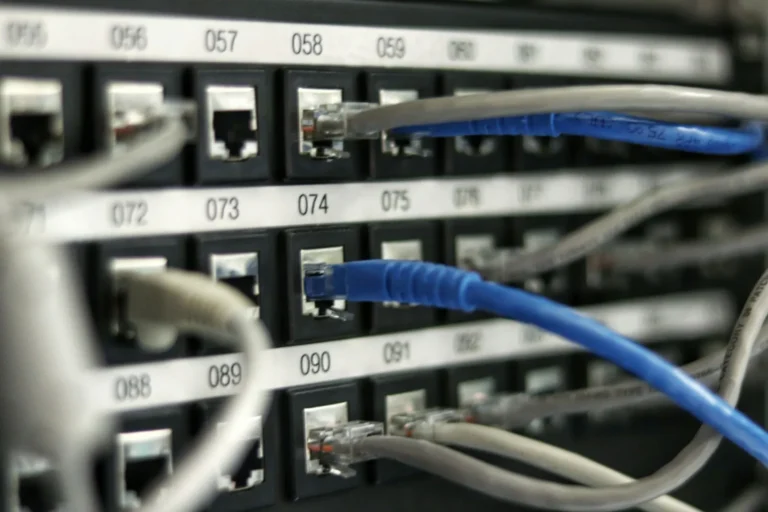
An IT technician reviewing a vulnerability scan report on a laptop next to a network rack

Vulnerability management process: 6 steps for your business

October 11, 2026April 4, 2023

A six-step vulnerability management process: inventory, scan, rank by risk, fix, verify, repeat. Exploits started 31% of breaches in Verizon’s 2026 report.

Small business owner and IT advisor reviewing a checklist at a desk with a laptop

What to include in a year-end technology review

October 11, 2026December 12, 2022

A year-end IT checklist: accounts, backups, aging hardware, licenses, policies and compliance tasks to settle before next year’s budget is final.

An employee at a desk using a personal smartphone next to a work laptop

BYOD policy guide: How to secure personal devices at work

October 11, 2026December 5, 2022

Intune app protection lets staff use personal phones for work while the business controls only company data. A BYOD policy guide with a template outline.

A person holding a smartphone and reading a text message

Mobile security: 5 mobile device attacks to watch out for

October 11, 2026August 23, 2022

Text scams, risky apps, outdated phones, lost devices and public Wi-Fi: five mobile device attacks, and how Intune app protection guards business data.

Office worker looking at a laptop screen showing an unexpected warning message

Signs of malware: How to tell if your computer is infected

October 11, 2026July 6, 2022

How to tell if your computer has a virus or other malware, the warning signs on PCs and Microsoft 365 accounts, and the first steps to take.

A small group of office employees gathered around a laptop during a training session

Cybersecurity training for employees: What actually works in 2026

October 11, 2026October 12, 2020

Cybersecurity training for employees that changes behavior: security awareness training, phishing simulations and the HIPAA and FTC rules you must meet.

Newer posts
← Previous Page1 Page2 Page3

Next step

The advisor who is still here.

Book an intro call
(225) 273-1206

Clarity. Compliance. Continuity.

Contact

4229 North Boulevard
Baton Rouge, LA 70806

  • Facebook
  • X
  • LinkedIn
  • Google

Company

  • About Us
  • Areas we serve
  • Contact

Resources

  • Tech Tips
  • Client Portal

© 2026 Wahaya, LLC dba Wahaya IT

Privacy Policy · Terms and Conditions