
Comprehensive Computer Support and Tech Help Services with Managed IT Solutions in Baton Rouge

Computer support and managed IT solutions combine technical troubleshooting, proactive maintenance, and strategic planning to keep business systems reliable and productive. This article explains how comprehensive computer support and tech help services reduce downtime, strengthen security, and enable consistent operations for small and mid-sized organizations in Baton Rouge. Readers will learn what managed IT services include, how layered cybersecurity reduces risk, which cloud services support remote work, how IT consulting shapes a practical technology roadmap, and why business continuity and disaster recovery are essential. Common pain points—unplanned outages, patching backlogs, phishing exposure, and mismatched cloud strategies—are addressed with clear, actionable solutions that emphasize measurable outcomes such as faster mean time to repair and predictable operating costs. The guidance uses practical examples, comparison tables, and checklists so teams can prioritize actions and choose the right mix of help desk, monitoring, security, cloud, and continuity controls. Throughout the article, local considerations for Baton Rouge operations and relevant managed service features like AI-enhanced monitoring and responsive support are woven into the technical guidance.

What Are Managed IT Services and How Do They Benefit Baton Rouge Small Businesses?

Managed IT services are outsourced technology operations that combine ongoing monitoring, help desk support, patching, and lifecycle management to deliver predictable uptime and cost control. The mechanism is continual oversight—network monitoring and endpoint management detect issues early, automated patching reduces attack surface, and a staffed help desk resolves user problems quickly—resulting in reduced downtime and more stable IT budgets. Small businesses benefit because managed services shift capital expense to operational predictability, provide access to skill sets (network engineering, cybersecurity, cloud management) that would be costly in-house, and scale support as the business grows. This model supports Baton Rouge organizations facing bandwidth constraints, compliance needs, or limited IT headcount by offering SLAs, remote remediation, and proactive planning that keep productivity high and surprises low.

Managed services deliver three top benefits:

  1. Predictable Costs: Fixed monthly fees replace unpredictable break-fix spending and assist with budgeting.
  2. Reduced Downtime: Proactive monitoring and rapid incident response limit business disruption.
  3. Access to Expertise: Small teams gain network, security, and cloud skills without hiring multiple specialists.

The table below compares common managed IT sub-services with the direct business benefit to help operators prioritize investments.

Managed IT sub-services and their business impacts:

ServiceCore FeatureBusiness Benefit
Help Desk ServicesTicketing, remote support, user triageFaster resolution and higher employee productivity
Proactive Network Monitoring24/7 alerts, automated remediationFewer outages, shorter MTTR (mean time to repair)
Patch ManagementScheduled OS/app updatesReduced vulnerability exposure and compliance alignment

This comparison shows how layered managed services convert technical capability into measurable operational stability. For organizations evaluating options, the next step is understanding how continuous support models like 24/7 coverage change day-to-day resilience.

Wahaya IT example: As a Baton Rouge-based Managed Intelligence Provider, Wahaya IT packages managed services with AI-enhanced monitoring, local responsiveness, and customizable SLAs to help small businesses reduce downtime and stabilize costs while providing 24/7 assistance when incidents occur.

How Does 24/7 IT Support Enhance Business Continuity?

24/7 IT support ensures monitoring and incident response occur at all hours, which shortens the time between failure detection and remediation and minimizes operational impact. The mechanism relies on around-the-clock monitoring systems, on-call engineers, and automated alerting to initiate troubleshooting immediately, which reduces MTTR and prevents minor issues from escalating into full outages. Businesses that adopt continuous support typically see measurable reductions in unplanned downtime and improved service availability for customers and employees. A common scenario: overnight backups fail and automated alerts escalate to an on-call engineer who resolves a storage fault before morning operations begin, avoiding lost transactions and customer complaints.

  1. Faster Detection: Continuous monitoring spots anomalies whenever they occur.
  2. Rapid Response: On-call teams execute remediation and failover procedures quickly.
  3. SLA Reliability: 24/7 support aligns with uptime guarantees and customer expectations.

Comparing support models highlights tradeoffs between cost and resilience:

Support ModelTypical Response WindowImpact on Operations
Business-hours-only8–12 hoursLonger outages, delayed recovery
24/7 SupportMinutes to 1 hourShorter outages, consistent availability
Hybrid On-callVariableCost-controlled with faster incident handling than business-hours-only

This comparison clarifies why continuous support is critical for businesses with customer-facing systems or remote workforces; the next focus explores proactive network monitoring and help desk interplay.

What Are the Key Features of Proactive Network Monitoring and Help Desk Services?

Proactive network monitoring continuously collects telemetry from endpoints, servers, and network devices to identify performance degradation and security anomalies before end users notice issues. Monitoring tools evaluate metrics like latency, packet loss, CPU usage, and disk health, and can trigger automated remediation steps—such as restarting services or applying temporary configuration fixes—while creating tickets for follow-up. Help desk services furnish structured triage, first-level resolution, escalation to specialists, and clear SLAs for response and resolution times. When monitoring and help desk work together, incidents flow from automatic detection to prioritized ticket handling, reducing manual overhead and accelerating recovery.

Key features include:

  • Real-time alerting and dashboards for visibility.
  • Automated remediation scripts and playbooks to limit human intervention.
  • Tiered help desk with documented escalation and knowledge base integration.
  1. Detection: Alerts trigger immediate investigation.
  2. Triage: Help desk categorizes and resolves or escalates incidents.
  3. Resolution: Specialists implement fixes and document outcomes.

An example incident flow: monitoring detects a degraded database response time, an alert creates a high-priority ticket, help desk performs initial checks, and a database engineer resolves the root cause while the monitoring system confirms restored performance. These coordinated steps reduce business disruption and help teams focus on strategic tasks.

How Do Cybersecurity Solutions Protect Baton Rouge Businesses from Evolving Threats?

Cybersecurity solutions protect businesses by layering prevention, detection, and response controls to reduce the probability and impact of attacks. Prevention includes hardening systems, patching, and endpoint protection to stop threats before execution; detection leverages EDR (Endpoint Detection and Response) and network analytics to identify suspicious activity quickly; response involves incident containment, forensic analysis, and recovery actions to restore operations. Together these layers lower attack surface, shorten dwell time, and enable faster recovery, which is especially important for SMBs facing ransomware and phishing risks. Recent studies indicate that layered defenses combined with employee training materially reduce successful breaches and limit data exposure.

Layers of protection:

  1. Prevention: Patching, least-privilege access, and endpoint protection.
  2. Detection: EDR, network monitoring, and anomaly analytics.
  3. Response: Incident response plans, backups, and forensic processes.
ControlProtectsBenefit
Endpoint Detection & Response (EDR)Endpoints and running processesEarly detection and rapid containment
Data EncryptionData at rest and in transitLimits data exposure if systems are breached
Incident ResponseBusiness operations and reputationFaster recovery and controlled disclosure

This layered view explains how each control reduces specific risks and supports overall security posture. The next subsections detail ransomware controls and training practices that improve resilience.

Wahaya IT example: Local businesses in Baton Rouge can engage Wahaya IT for tailored cybersecurity services—threat detection, ransomware protection, and data encryption assessments—paired with incident readiness reviews to identify gaps and recommend prioritized mitigations.

What Are the Essential Components of Ransomware Protection and Data Encryption?

Ransomware protection combines immutable backups, endpoint detection and response, network segmentation, and robust patch management to prevent encryption of critical systems and accelerate recovery when incidents occur. Immutable backups ensure copies cannot be altered by attackers, enabling trustworthy restores; EDR provides behavioral detection to stop malicious processes quickly, and segmentation limits lateral movement across the network. Data encryption protects sensitive information even if storage is exfiltrated, reducing regulatory and reputational exposure. Implementing layered controls, scheduled restore tests, and access controls creates a practical defense-in-depth strategy that addresses both prevention and recovery.

Recommended practices include frequent, tested immutable backups, continuous EDR monitoring, and role-based access enforced by least privilege. These controls work together to limit impact and enable fast recovery when an attack occurs, which leads naturally to the role of training in preventing successful phishing and credential theft.

How Does Employee Cybersecurity Training Improve Organizational Security?
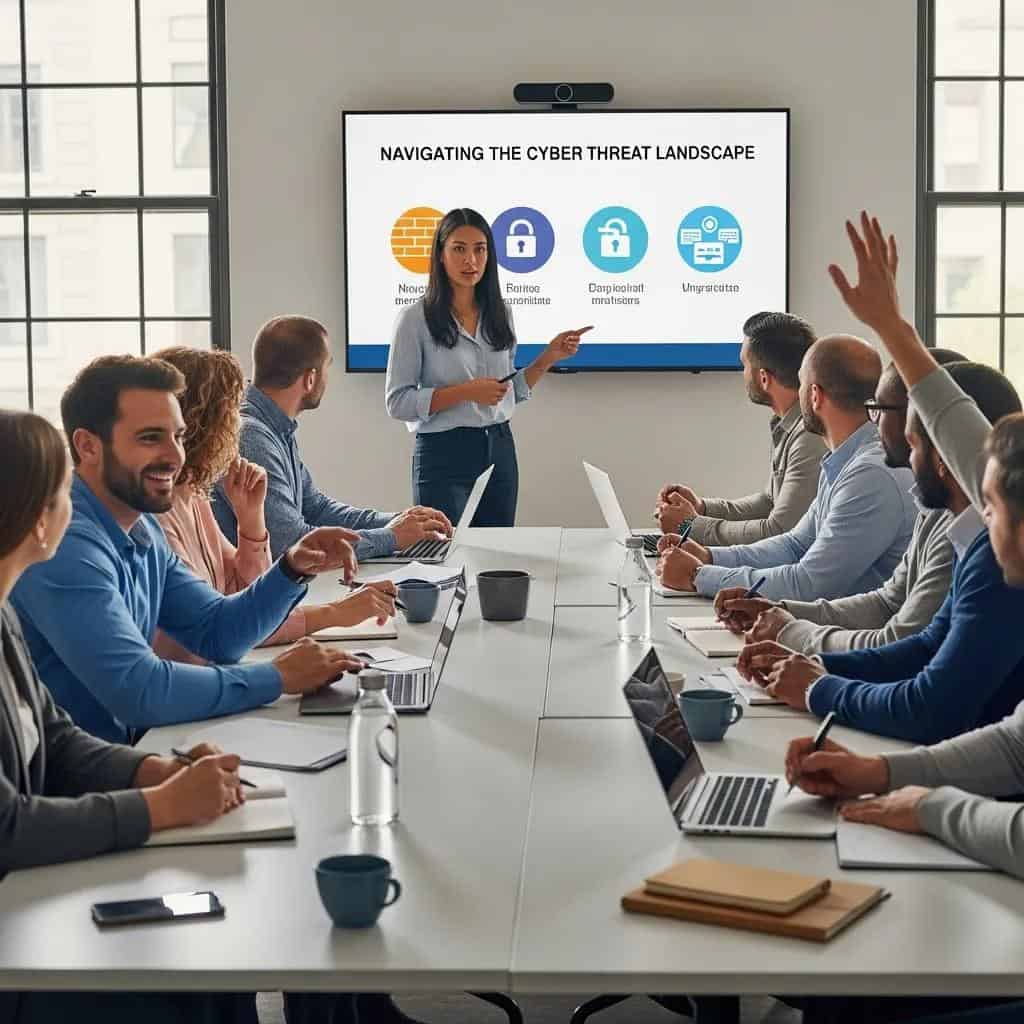
Employee cybersecurity training reduces human-related risk by teaching staff to recognize phishing, use secure authentication, and follow incident reporting procedures. Training programs that include simulated phishing campaigns, role-based modules, and periodic refreshers measurably lower click rates and improve reporting of suspicious messages. KPIs to track program effectiveness include phishing click-through rate, time-to-report incidents, and completion rates for mandatory modules. For small businesses, pairing training with technical controls like EDR and MFA (multi-factor authentication) creates a resilient combination that addresses both human and technical vectors of compromise.

A practical cadence might include quarterly phishing simulations, annual role-specific modules, and immediate onboarding training for new hires. Measuring improvement over time demonstrates the program’s ROI and informs adjustments to content and frequency, which connects to how cloud services support secure remote work.

What Cloud Services Are Available for Baton Rouge SMBs and How Do They Support Remote Work?

Cloud services range from SaaS productivity platforms to IaaS infrastructure and managed cloud hosting, providing on-demand resources, centralized management, and built-in resiliency that support distributed teams. Cloud migration improves accessibility—employees can access resources from anywhere—while managed cloud services handle security patching, backups, and performance optimization, freeing internal teams to focus on business priorities. Hybrid cloud strategies combine on-premises systems for latency-sensitive workloads with cloud-hosted services for scalability and disaster recovery, giving SMBs a balanced approach that fits budgets and technical constraints.

Cloud services that matter for SMBs:

  • Infrastructure as a Service (IaaS) for hosting servers and workloads.
  • Platform and managed hosting for application deployment and optimization.
  • Software as a Service (SaaS) like productivity suites for collaboration and remote work.

Benefits for remote work include centralized identity and security policies, scalable storage, and simplified device management that support hybrid teams effectively. Considerations for Baton Rouge businesses include local bandwidth, data sovereignty, and phased migration plans to avoid operational disruption.

Key cloud benefits for remote teams:

  1. Accessibility: Secure access from any location increases workforce flexibility.
  2. Scalability: Resources scale on demand without large capital investment.
  3. Centralized Security: Consistent security policies and managed updates reduce configuration drift.

Wahaya IT example: For Baton Rouge SMBs planning migration, Wahaya IT offers cloud migration services and Microsoft 365 management to help organizations adopt hybrid cloud strategies that preserve on-premises investments while leveraging cloud scalability and collaboration tools.

How Does Cloud Migration Improve Business Agility and Scalability?

Cloud migration follows phases—assessment, migration, and optimization—to move workloads while minimizing disruption and cost surprises. The assessment identifies dependencies, sizing, and migration risks; the migration phase executes lift-and-shift or replatforming; optimization tunes costs, performance, and security controls post-migration. These steps enable faster provisioning of environments, quicker feature rollouts, and better cost visibility via pay-as-you-go models. For SMBs, practical benefits include reduced lead time for new projects, predictable operational expenses, and the ability to scale resources for peak demand without overprovisioning.

A migration checklist often includes inventorying applications, mapping data flows, selecting migration modes, testing restores, and implementing cloud-native monitoring. Completing these phases systematically transforms IT from bottleneck to enabler, setting up hybrid patterns where needed and feeding into strategic IT consulting work.

What Are the Benefits of Microsoft 365 Management and Hybrid Cloud Strategies?

Microsoft 365 management includes user provisioning, licensing optimization, policy enforcement (access and data loss prevention), and backup/retention configuration to maintain productivity while protecting data. Proper management reduces shadow IT, ensures consistent security settings, and simplifies compliance with retention and eDiscovery needs. Hybrid cloud strategies balance on-premises and cloud systems by keeping latency-sensitive or legacy systems locally while moving collaboration and scalable services to the cloud, which preserves investments and reduces migration risk.

Management tasks typically include identity management, conditional access policies, mailbox archiving, and backup verification. Hybrid approaches make sense when data gravity, compliance, or specialized hardware require local resources; integrating these with cloud identity and backup services yields operational flexibility and robust recovery options.

How Can IT Consulting Help Small Businesses in Baton Rouge Plan Their Technology Roadmap?

IT consulting and vCIO services translate business goals into prioritized technology roadmaps that align budgets, security, and operational capacity. The mechanism is a structured assessment—inventory, risk analysis, and strategic planning—followed by a roadmap with recommended projects, cost estimates, and timelines. Consulting helps SMBs choose vendors, plan migrations, and estimate ROI for digital transformation initiatives, reducing the risk of misaligned investments and ensuring IT supports growth objectives. For Baton Rouge companies, a consulting engagement provides an external perspective that balances local constraints with broader best practices.

Typical consulting deliverables include a prioritized roadmap, cost-benefit analysis, and vendor selection guidance. These outputs enable leaders to make informed decisions about modernization, staffing, and third-party managed services that improve reliability and reduce total cost of ownership.

Consulting services commonly include:

  • Strategic roadmaps and prioritized projects.
  • Technology assessments and gap analysis.
  • Vendor and project governance support.
  1. Roadmap: Prioritized projects with timelines and ROI.
  2. Assessment: Current-state analysis and risk scoring.
  3. Governance: Implementation oversight and vendor coordination.

What Is the Role of IT Strategy and Digital Transformation Consulting?

IT strategy and digital transformation consulting define how technology investments create measurable business value by setting goals, KPIs, and phased initiatives. vCIO-style consulting produces roadmaps that prioritize modernization steps—such as migrating critical workloads to cloud, upgrading security controls, or implementing unified communications—backed by cost and risk assessments. The approach mitigates transformation risks by sequencing projects, aligning stakeholders, and defining success metrics, ensuring investments increase productivity or reduce operational risk rather than just adding complexity.

A simple roadmap template might include discovery, pilot, rollout, and optimization phases with clear owners and KPIs for each project. This disciplined approach accelerates transformation while retaining operational stability, which leads directly to the role of assessments in identifying needs.How Do Technology Assessments and Audits Identify Business IT Needs?

Technology assessments inventory hardware, software, network topology, and security controls to create a performance baseline and identify vulnerabilities and capacity constraints. Audits produce recommendations prioritized by impact and cost, often including quick wins (patching, access control changes) and longer-term projects (cloud migration, lifecycle replacement). The output includes an actionable list of fixes, estimated budgets, and a timeline, allowing decision-makers to plan investments strategically and meet compliance obligations.

A sample assessment checklist covers asset inventory, patch status, backup health, access controls, and business-critical application dependencies. After the assessment, the immediate next step is to implement prioritized mitigations while scheduling larger projects into the strategic roadmap.

Why Is Business Continuity and Disaster Recovery Critical for Baton Rouge Businesses?

Business continuity and disaster recovery (BC/DR) ensure organizations can continue operations and recover IT systems after incidents like natural disasters or cyberattacks by combining backups, failover mechanisms, and tested recovery procedures. The mechanism pairs reliable backup strategies with documented recovery plans that define RTOs (recovery time objectives) and RPOs (recovery point objectives), which guide technology choices and testing cadence. For Baton Rouge businesses exposed to regional weather risks and evolving cyber threats, BC/DR reduces financial loss, protects customer trust, and supports regulatory compliance by assuring data integrity and service availability.

Direct benefits include reduced downtime costs, preserved customer access, and clearer recovery responsibilities for staff. The next subsections outline backup options and practical DR planning steps that map to typical RTO/RPO requirements.

Backup SolutionTypical RTO / RPOBusiness Impact
Cloud SnapshotsRTO: hours; RPO: minutes–hoursFast recovery for VMs and databases with minimal data loss
Image-based BackupsRTO: hours; RPO: minutesFull system restores reduce rebuild time for critical servers
Immutable BackupsRTO: hours; RPO: minutesProtects against backup tampering in ransomware events

This mapping helps teams prioritize which backup types fit their recovery objectives and budget. Regular testing of these backups validates recovery assumptions and supports confidence in failover procedures.

Wahaya IT example: Wahaya IT offers backup and disaster recovery planning services and can perform a DR readiness check to identify gaps and recommend prioritized improvements for Baton Rouge businesses.

What Data Backup Solutions Ensure Minimal Downtime?

Effective backup strategies blend nearline snapshots for rapid restores, image-level backups for full system recovery, and off-site or cloud copies for geographic resilience. The tradeoffs involve cost versus recovery speed: faster RTOs require more frequent snapshots and readily accessible replicas, which increase storage and management costs. Businesses should select RTO/RPO targets based on the criticality of applications, network capacity, and budget constraints. Testing restores on a scheduled basis ensures that backups are usable and that staff understand the recovery steps.

Recommended approach for SMBs: identify critical systems, set conservative RTO/RPO for those systems, implement automated backups with immutable copies, and perform quarterly restore tests. These practices minimize downtime and ensure business processes can resume quickly after an incident.How Does Disaster Recovery Planning Safeguard Against IT Failures?

A disaster recovery plan documents roles, communication channels, recovery procedures, and failover steps to restore services in a controlled manner. The plan should include contact lists, step-by-step restoration instructions, and predefined decision points for invoking failover. Regular testing—tabletop exercises and full failover drills—validates the plan and uncovers gaps in procedures or dependencies. For SMBs, keeping the plan concise, assigning clear owners, and rehearsing common scenarios (ransomware, hardware failure, site outage) materially shortens recovery time and reduces business impact.

Elements of a simple DR plan include recovery priorities, responsible personnel, recovery playbooks, and a testing schedule. Running periodic drills and updating the plan after each test ensures continuous improvement and readiness when real incidents occur.