
Ultimate Guide to Cybersecurity for Businesses — Protecting Small and Mid‑Sized Companies from Cyber Threats

Cybersecurity for businesses is the coordinated mix of practices, tools, and policies that keep company data, systems, and operations safe from digital attacks. Small and mid‑sized businesses (SMBs) are attractive targets: they hold valuable information but often lack enterprise-scale defenses. That’s why a layered approach matters. This guide breaks down the common threats SMBs face, the foundational controls that reduce risk, human-focused training and culture steps, proactive monitoring and compliance actions, and practical incident response plans to preserve continuity. You’ll learn how to prioritize defenses—like multi‑factor authentication, endpoint detection, and immutable backups—measure risk, and test recovery so downtime and reputational damage are minimized. Practical checklists, comparison tables, and deployment steps make it easy for IT managers and business owners to turn security principles into action. The final section explains how a local managed provider can support ongoing monitoring, compliance, and recovery for Baton Rouge‑area SMBs and beyond.

Recent research reinforces the urgent need for cybersecurity strategies and supportive frameworks tailored to small and mid‑sized businesses.

Effective Cybersecurity Strategies & Frameworks for SMBs

This research provides practical strategies for SMBs and guidance for policymakers designing supportive cybersecurity frameworks.

Investigating The Factors and Impact of Cybercrime on Small-To Medium-Sized Business (SMBs): Analysing risks, factors, and solutions, 2025

What are the most common cyber threats small businesses face today?

Attackers target SMBs by exploiting weak controls, human error, and unpatched systems to steal data or disrupt operations. The primary attack vectors are ransomware, phishing, malware, insider threats, and distributed denial‑of‑service (DDoS). Each vector behaves differently and affects revenue, operations, and customer trust in distinct ways. Understanding these threats helps SMBs prioritize controls that lower exposure while preserving business agility. Below we define each threat and note the immediate business impact so teams can scan and act on priorities.

Common threats and quick impact summaries:

  • Ransomware: Malicious software encrypts critical files and demands payment for the decryption key, often causing operational shutdowns and potential data loss.
  • Phishing: Fraudulent emails or messages trick employees into revealing credentials or running malicious attachments, enabling account takeover and fraud.
  • Malware (trojans, spyware): Persistent code steals data or opens backdoors that undermine confidentiality and system integrity.
  • Insider Threats: Disgruntled or careless employees expose systems by misusing privileges or accidentally leaking sensitive data.
  • DDoS (Distributed Denial‑of‑Service): Overwhelming traffic brings online services offline, interrupting customer access and revenue streams.

Recognizing these threats makes it easier to pick technical and policy responses that match business priorities. The next section looks at how ransomware and phishing—two of the highest‑impact threats—operate and what they mean for SMBs.

How do ransomware and phishing attacks affect SMBs?

Ransomware and phishing often work together: phishing is commonly the initial access method that leads to ransomware deployment. A phishing email can trick an employee into revealing credentials or opening a malicious attachment; attackers then move laterally and push encryption tools across systems. For SMBs the costs are concrete: lost billable hours, interrupted supply chains, regulatory exposure, and extortion payments that may not restore everything. Immediate mitigations include immutable, regularly tested backups; network segmentation to limit lateral movement; and advanced email filtering to block malicious attachments and links. Recovery planning should include validated backups, a clear incident playbook, and communication templates for customers and regulators to reduce downtime, legal risk, and reputational damage.

The growing frequency of ransomware makes reliable backup strategies and recovery testing essential to operational resilience.

Ransomware Threats & Cybersecurity Practices for Operational Resilience

As systems become more digital, the challenge of keeping them secure grows. Ransomware—often deployed by advanced threat actors—remains one of the most persistent risks. Strong backup and recovery practices are central to limiting damage and restoring operations.

Operational Resilience: Backup Strategies for Crisis Management in the Age of Ransomware, 2023

What emerging threats threaten business continuity?

New risks—supply‑chain compromises, AI‑enhanced phishing, and zero‑day exploits—increase the likelihood of stealthy, high‑impact incidents that can outpace traditional defenses. Supply‑chain attacks use trusted vendors to introduce malicious code or credentials into otherwise secure environments. AI‑assisted phishing raises the success rate of social engineering by producing highly personalized messages. Zero‑day vulnerabilities create short windows of exposure before patches are available, forcing rapid compensating controls. These trends accelerate intrusions and put business continuity at risk, so SMBs need continuous monitoring, threat intelligence, and fast patching policies. Proactive measures include vendor security assessments, anomaly detection on critical assets, and prioritizing patches for internet‑exposed systems to shrink the attack surface and protect operations.

Which foundational cybersecurity strategies should businesses implement?

Foundational strategies are prioritized controls that layer defenses and reduce single points of failure. Key controls include multi‑factor authentication (MFA), regular tested backups, endpoint detection and response (EDR), modern firewalls with segmentation, timely patch management, and least‑privilege access. These controls cover identity, endpoints, network, and data—when combined they block many common attacks early. Below is a concise, actionable checklist SMBs can deploy to get the most protection from limited budgets.

A prioritized checklist of essential foundational controls:

  • Multi‑Factor Authentication (MFA): Enforce additional authentication factors for remote access and privileged accounts to stop credential‑based compromises.
  • Immutable Backups and Backup Testing: Keep off‑site, immutable backups and test restores regularly to guarantee recoverability after ransomware.
  • Endpoint Detection and Response (EDR): Install EDR agents to detect, isolate, and remediate suspicious endpoint activity before it spreads.
  • Network Firewalls and Segmentation: Use firewalls and segment critical systems so attackers can’t move freely across your network.
  • Patch Management: Apply security patches on a predictable cadence, prioritizing internet‑facing assets and high‑risk CVEs.

Prioritizing and combining these controls delivers the best security return for SMB budgets. The table below compares common foundational tools by purpose, cost, and maintenance needs to help you choose the right mix.

ControlPurposeCost/ComplexityMaintenance & SMB Fit
Multi‑Factor Authentication (MFA)Stops credential‑based accessLow to medium implementation costRequires user support; high fit for immediate impact in SMBs
Firewall & SegmentationReduces network exposure and lateral movementMedium; requires policy tuningRegular rule reviews; strong fit for protecting critical systems
Endpoint Detection & Response (EDR)Detects and contains malicious endpoint activityMedium; needs monitoringDaily alerts and updates; a good fit for SMBs using managed monitoring
Immutable BackupsRestores systems after an attack without tamperingMedium; ongoing storage costsRequires regular restore tests; essential for ransomware resilience

This comparison clarifies trade‑offs and helps SMBs plan a practical implementation path. The next section looks at data‑centric protections—how encryption, DLP, and retention policies reduce exposure and support compliance.

What are effective business data protection strategies?

Protecting data starts with classification and follows through with encryption, loss prevention, and resilient backups. Classify data by sensitivity, apply encryption at rest and in transit for high‑value records, and use data loss prevention (DLP) to detect exfiltration. Store immutable backups off‑site and test them against defined RTO/RPO targets so you can recover reliably. Retention policies limit unnecessary exposure while supporting legal holds and audits. Together, classification, encryption, DLP, and tested backups lower the risk of fines and customer breaches while keeping the business running.

How can network security and access controls prevent cyber attacks?

Network and access controls block many attacks before they reach sensitive systems by enforcing segmentation, least privilege, and strong remote access rules. Use VLAN‑based segmentation for sensitive databases and role‑based access controls (RBAC) to minimize privileges. Enforce MFA on VPNs and cloud consoles and adopt a zero‑trust mindset where practical—continuously validating devices and users. Next‑generation firewalls with intrusion prevention add an outer layer, while internal monitoring spots suspicious east‑west traffic. These measures reduce lateral movement, contain compromises, and support secure remote work.

How can employee training and security culture reduce cyber risk?
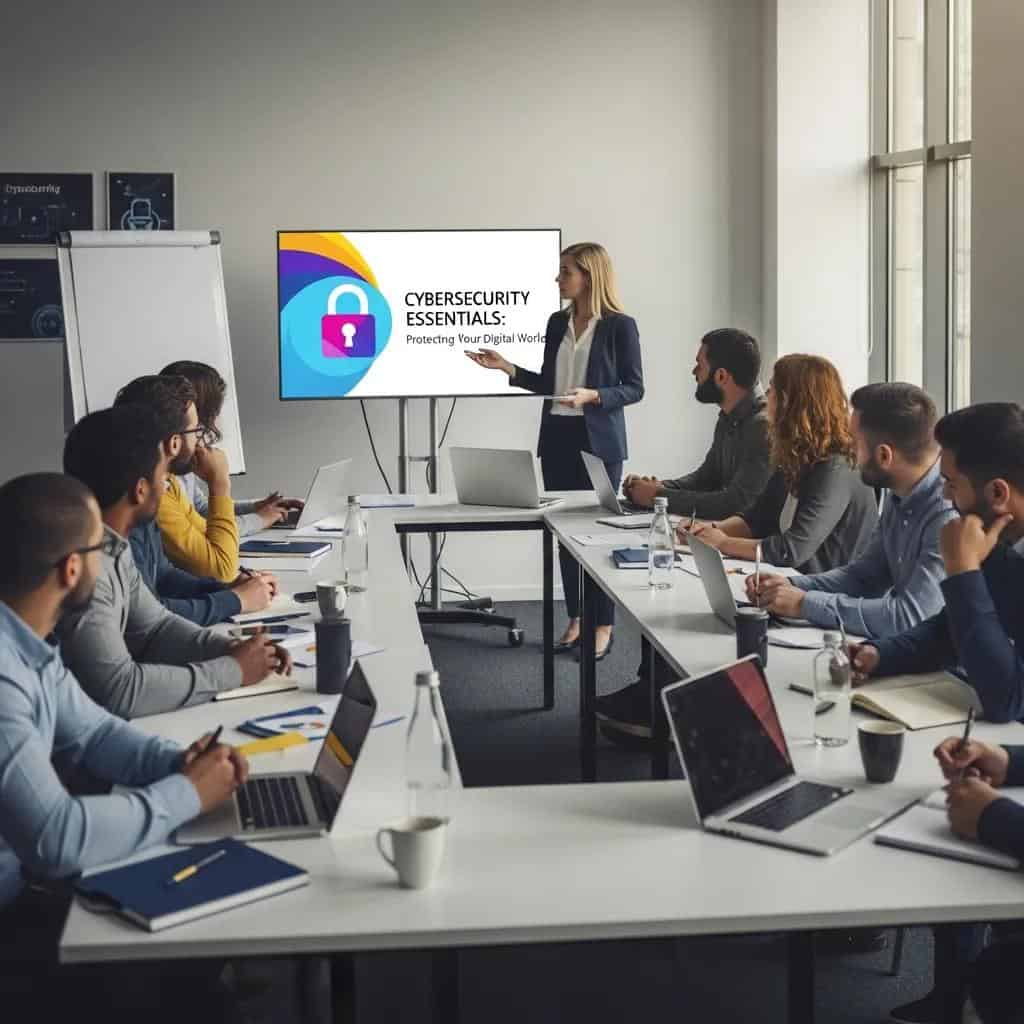
Training and a security‑first culture turn human risk into an organizational strength. Effective programs combine basic awareness, regular phishing simulations, role‑based technical training for admins, and measurable KPIs such as click rates and remediation time. Clear policies—covering password hygiene, acceptable use, and remote work—should be part of onboarding and reinforced with short refreshers. A culture that rewards reporting and shows leadership support makes secure behavior the default and reduces risky shortcuts. The list below outlines training components and cadences that produce measurable reductions in human‑driven incidents.

Core components of an effective employee cybersecurity program:

  • Initial Awareness Training: Mandatory onboarding modules covering phishing, device security, and data handling.
  • Phishing Simulations: Quarterly simulated campaigns to measure and lower click rates.
  • Role‑Based Technical Training: Deeper, periodic training for IT and privileged users on detection and response.
  • Policy Reinforcement and Reporting Channels: Clear reporting processes and recognition for proactive reports of suspicious activity.

These elements establish a baseline of human resilience and feed measurable improvements into your security posture. The next section details best‑practice training topics and metrics to track program effectiveness.

What are best practices for employee cybersecurity awareness?

Effective awareness blends relevant content, repetition, and measurement so behavior changes stick. Cover phishing recognition, password hygiene, safe use of personal devices, and secure data handling in short microlearning modules to boost retention. Run frequent phishing tests and track KPIs—click‑through rate, remediation time, and repeat offenders—to focus training where it matters most. Share results with leadership and use incentives or remediation plans for high‑risk patterns. These practices turn awareness into measurable risk reduction and provide data for continuous improvement.

How do you build a security‑conscious culture in SMBs?

Culture starts with leadership: visible endorsement, clear security goals, and simple processes that make the secure choice the easy choice. Leaders should communicate priorities, celebrate teams that report incidents, and include security checks in vendor onboarding and project reviews. Small incentives—recognition, gamified targets, or department metrics—encourage participation without adding bureaucracy. Over time, these habits normalize secure behavior, lower organizational risk, and support compliance.

What proactive measures and compliance requirements should SMBs follow?

Proactive security combines regular risk assessments, vulnerability scanning, continuous monitoring, and controls mapped to relevant standards. Build an asset inventory, classify risks, and prioritize fixes by business impact and exploitability. Regular vulnerability scanning and a disciplined patch cadence shrink exposure windows, while endpoint and network telemetry enable early detection. Compliance mapping—understanding obligations under frameworks like HIPAA and GDPR—helps document controls, assign responsibility, and prepare for audits. The table below maps selected standards to practical SMB actions and typical owners to clarify responsibilities.

Regulation / StandardRequired ActionTypical Responsible Owner
HIPAA (health data)Apply access controls, audit trails, and encryption for PHIIT manager with compliance lead
GDPR (data protection)Keep processing records, handle data subject requests, and implement safeguardsData protection officer or delegated owner
PCI DSS (payments)Segment cardholder data, use secure payment processors, and run regular scansIT/security lead and finance owner

This mapping helps SMBs assign clear ownership and prioritize controls that support both security and compliance. When hands‑on help is needed, targeted external support can accelerate remediation and documentation.

Wahaya IT offers compliance assessments and remediation support that help SMBs interpret standards and implement prioritized controls efficiently. Our managed assessment approach focuses on risk‑based remediation and documentation practices that map directly to audit checklists, reducing the burden on internal teams. Engaging a managed provider speeds evidence collection for audits and keeps monitoring and patch cycles consistent over time.

How to run effective cybersecurity risk assessments?

Good risk assessments inventory assets, identify threats and vulnerabilities, score risks by likelihood and impact, and produce prioritized remediation plans. Start with an asset register that includes business context, then use a simple scoring rubric to rank risks by exposure and impact. Combine automated scans with manual threat‑modeling sessions to capture technical and process gaps. Frequency should match business tempo—quarterly scans with an annual comprehensive review is a common SMB pattern—and remediation should be tracked to closure. These steps create a practical roadmap that aligns security spend with business priorities.

What are the key compliance standards for small businesses?

SMBs commonly face HIPAA, GDPR, and PCI DSS depending on industry and location; each standard requires documentation, access controls, and demonstrable technical safeguards. High‑level steps include identifying applicable standards, mapping data flows, implementing baseline controls (encryption, access logs, incident response), and maintaining retention and breach notification policies. Documentation—policies, risk assessments, and vendor agreements—is as important as technical controls for audit readiness. When internal resources are limited, external assessments or managed services can close gaps and lower audit risk.

How to develop and implement an incident response plan for your business?

An incident response (IR) plan is a repeatable playbook to detect, contain, eradicate, recover, and review after cybersecurity events. A solid IR plan defines roles and escalation paths, contact lists, legal and regulatory notification triggers, and technical containment and restoration procedures. Regular tabletop exercises and recovery testing prove the plan under pressure and help validate RTO/RPO targets. The table below maps IR phases to typical timeframes and owners so SMBs can assign responsibilities and set realistic expectations.

IR PhaseTypical TimeframeTypical Owner
DetectMinutes to hoursMonitoring team or managed provider
ContainHoursIncident lead and IT operations
EradicateHours to daysSecurity engineers or third‑party specialists
RecoverHours to days (per RTO)IT operations with business unit leads
Review & Lessons Learned1–4 weeksIncident manager and leadership

This mapping clarifies who acts and when during incidents, enabling faster containment and recovery. The next section lists IR steps in a practical order optimized for tabletop exercises.

The essential steps for an SMB incident response plan:

  • Detect: Maintain monitoring and alerts to quickly spot anomalies and confirm scope.
  • Contain: Isolate affected systems, revoke compromised credentials, and stop lateral movement.
  • Eradicate: Remove malware, patch exploited vulnerabilities, and validate system integrity.
  • Recover: Restore systems from validated backups, verify services, and return to normal operations.
  • Review: Perform a post‑incident analysis, update the plan, and implement prevention measures.

These steps form an operational loop that improves through testing and review. SMBs without in‑house resources can accelerate containment and recovery by using managed response support.

Wahaya IT’s incident response and business continuity services provide operational support across detection, containment, and recovery. We combine monitoring, playbook execution, and recovery testing, and prioritize restoration for revenue‑critical systems. For SMBs that need backup validation, tabletop exercises, or outsourced containment and recovery, managed services deliver predictable support under pressure.

What should an incident response plan include?

An IR plan must list clear, actionable tasks for each phase, including communication protocols, technical containment steps, and legal notification triggers. Include runbooks for common scenarios—ransomware, data breach, credential compromise—that spell out immediate actions like isolating infected hosts, resetting credentials, and preserving forensic evidence. Predefine escalation paths and external partners (forensics, legal) to speed decisions. Practice regularly with tabletop exercises and update runbooks based on lessons learned to reduce decision time during real incidents.

How do business continuity and disaster recovery support cyber resilience?

Business continuity (BC) and disaster recovery (DR) are the operational frameworks that restore services to meet recovery time objectives (RTO) and recovery point objectives (RPO). BC focuses on keeping critical business functions running; DR focuses on restoring IT systems. Together they define restoration order and resource allocation. Validate backups and switchover procedures with regular recovery drills and keep alternate communication channels for stakeholders. A well‑tested BC/DR plan lowers downtime costs and reputational damage and plugs directly into IR planning to guide recovery after containment.

What comprehensive cybersecurity solutions does Wahaya IT offer for SMBs?

Wahaya IT delivers managed cybersecurity and IT services that simplify operations, lower costs, and improve security posture for small and mid‑sized businesses. As a local provider, we combine MSP capabilities with AI‑driven monitoring and focus on proactive security assessments, managed detection and response, secure cloud migration, business continuity planning, and compliance support. Our goal is to give SMBs the experience of a dedicated IT department without the full‑time headcount, so organizations can access security expertise affordably. For Baton Rouge businesses needing help with monitoring, patch management, and incident readiness, Wahaya IT acts as a hands‑on local partner to streamline remediation and documentation.

Because SMBs face budget and resource constraints, Managed Detection and Response (MDR) is becoming an essential option for comprehensive threat coverage and rapid response.

MDR Services for SMB Cybersecurity: Threat Coverage & Incident Response

SMBs make up the vast majority of businesses globally, yet many lack sufficient cybersecurity due to limited budgets and resources. Managed Detection and Response (MDR) delivers critical threat coverage and response capabilities for these organizations, but designing a profitable, scalable 24/7 MDR model for SMBs presents unique operational challenges.

MDR service design: Building profitable 24/7 threat coverage for SMBs, 2025

Wahaya IT’s primary managed offerings and differentiators include:

  • Managed Security Services: Continuous monitoring, EDR management, and alert triage to detect and respond early.
  • Business Continuity & DR: Backup validation, recovery planning, and tabletop exercises that align technical recovery with business priorities.
  • Cloud Migration & Security: Secure cloud onboarding and configuration to reduce exposure during and after migration.
  • Compliance Support: Risk assessments and remediation mapping to regulatory standards relevant to SMBs.


These services translate security priorities into operational outcomes. For organizations that need a partner to implement prioritized controls and maintain continuous protection, Wahaya IT bundles assessments and managed operations to reduce internal burden and speed risk reduction.

How do Wahaya IT’s managed security services simplify IT operations?

Our managed model takes day‑to‑day security monitoring, patch management, vendor coordination, and incident triage off internal teams so staff can focus on business initiatives. Typical benefits include consistent patch schedules, 24/7 alert handling, routine security assessments, and clear remediation plans that lower mean time to repair. By consolidating vendor relationships and simplifying procurement, we help SMBs control costs while keeping defenses strong. For teams reviewing ROI, improved uptime, fewer incidents, and less emergency firefighting often justify a managed engagement through lower total cost and greater stability.

Why choose Wahaya IT for cybersecurity in Baton Rouge?

Wahaya IT’s local presence and managed approach give Baton Rouge‑area SMBs a partner who understands regional business context and delivers enterprise‑grade controls scaled for small organizations. Our MSP + AI monitoring model emphasizes proactive assessments and operational consistency to reduce breach likelihood and speed recovery. By providing a dedicated IT department experience without full‑time headcount, we help businesses optimize security spend and keep compliance evidence audit‑ready. Organizations seeking practical, locally informed cybersecurity support can engage Wahaya IT for assessments and ongoing operations to strengthen defenses and free internal teams to focus on core goals.